2025.11.17 Release
Now Available: Resolver 2025.11.17
The latest release of Resolver is now available! Read on to learn more about Resolver 2025.11.17
Resolver 2025.11.17 is enabled by our latest connectors:
- Process Simulate Connector 1.9.1
- Visual Components Connector 1.9.1
- MELSOFT Gemini Connector 1.9.1
Compatibility information for supported simulation tools and versions can be found on the minimum requirements page of the Resolver documentation site. We recommend always downloading the latest version of the Resolver Connector, regardless of the version of the simulation tool you are using.
Resolver 2025.11.17 is packed with improvements. Here are some of the highlights:
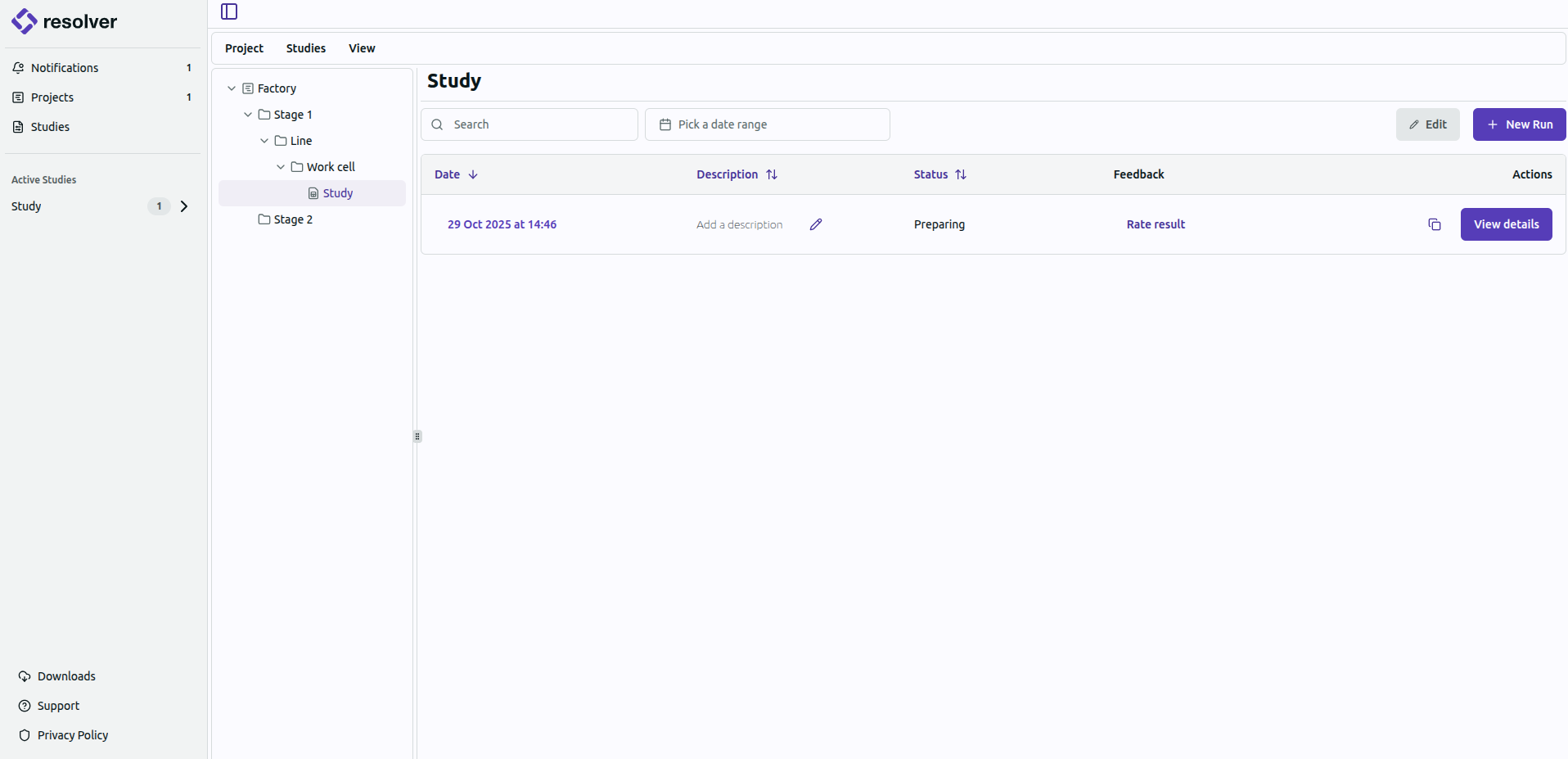
- Introduced a new folder structure for the organization of studies in the platform UI
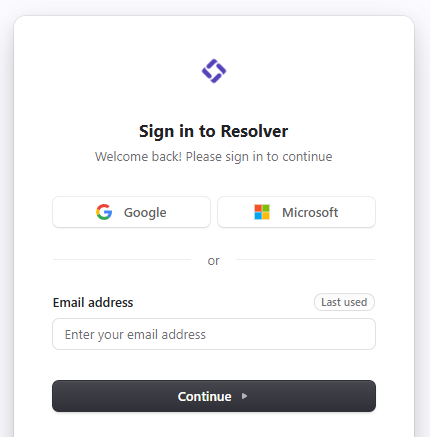
- Implemented new log in experience allowing users to access Resolver with their Google or Microsoft account
- Improved stability of the Process Simulate Connector login and authentication, making the connector more aligned with organizational IT policies
- Enhanced ability to apply working limits only to native joints
Resolver Platform Enhancements
New folder structure and log in experience
- NEW: Folder structure to organize studies.
- Your Workspace: You will now see a “Default” Project in the left sidebar, which can only be created and renamed by RTR. This contains your allocated robots per run. The robots per run are allocated based on the robot count identified in your contract with RTR.
- Create Folders: Users can now create sub-folders within a Project to organize and upload studies. You can upload studies directly to a specific folder using a connector. Robots per run can be used across any folder in your Project. Currently, folders can only be deleted by RTR.
- Running Studies: There must be a number of robots per run at the Project level, defined in a sales contract, to upload a custom study to Resolver. Users without a contract can still run Resolver using the RTR Demo Cell. RTR will create a “Demo” Project for all active customers without a payment contract to be able to load the RTR Demo Cell study.
- Important Note: You must have a Project Folder in your environment in order to upload studies and you must be a paying customer to execute runs with unique studies. If you do not have a project in your environment or would like to run your own cell through Resolver, contact your Account Representative.
- NEW: Updated log in experience with option for Single Sign On (SSO) through Google and Microsoft
- The next time you are prompted to log into Resolver, you will see a new log in experience that includes the option to sign in using Google or Microsoft.
- New users can now be added to Resolver using their existing Google or Microsoft accounts.
- What does this mean? You should still be able to log in using your original email and password, but users can now log in to Resolver with SSO using their Google or Microsoft account information.
All Connectors
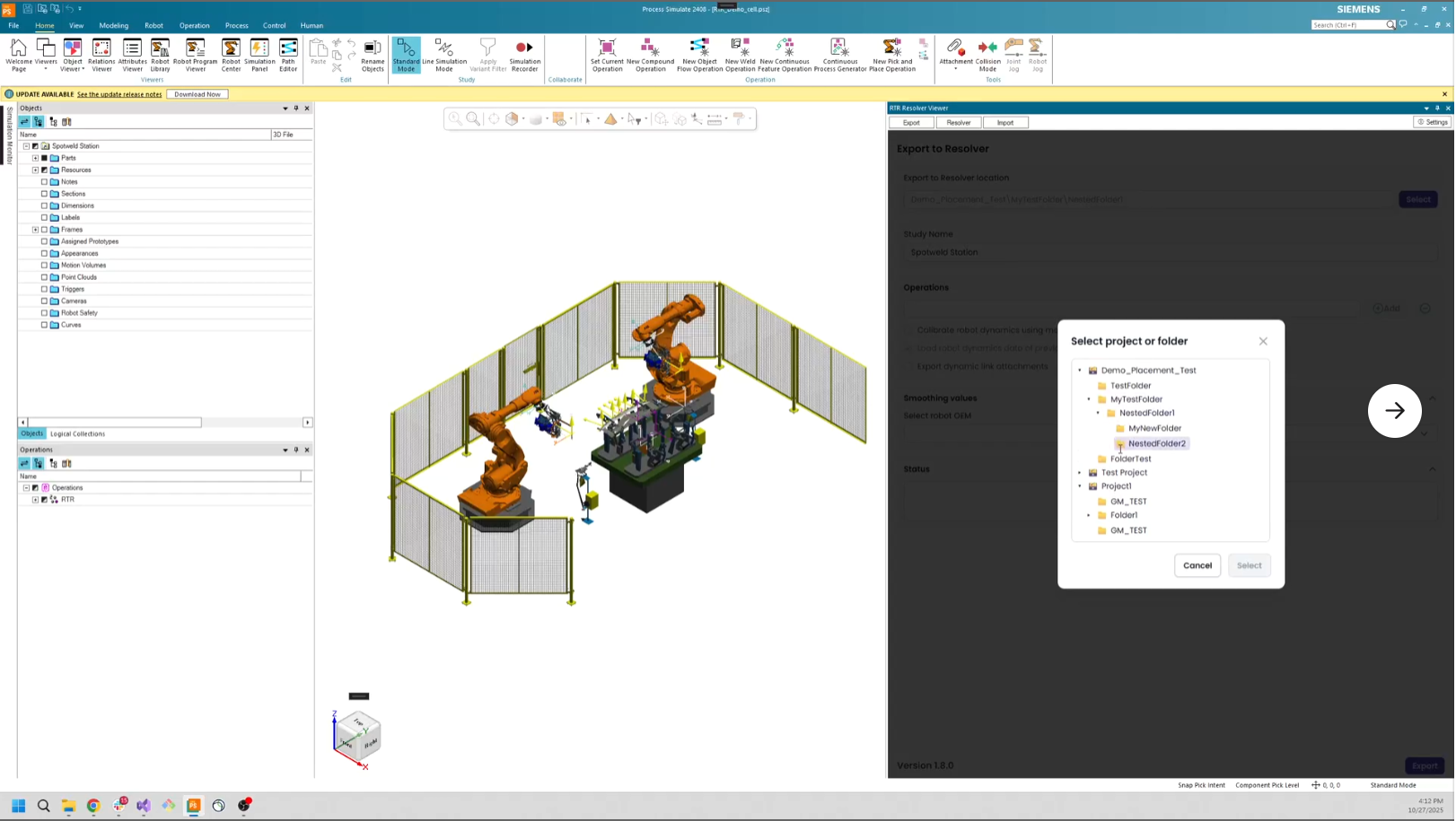
NEW: Export a study to a specific folder in Resolver
- When users are exporting to Resolver, they can click the “Select” button and choose exactly where they would like their study to be exported using a new folder navigation window.
- Folders must be created in the Platform UI to be visible as an option for Export in a connector.
Improved: Log retrieval for error reporting
- There is now an option to “'Download Logs” when errors occur, so users can better understand what is happening during an error.
- Error logs will include a timestamp and error label.
- Note: Are you getting an error message you don’t understand? Send us a ticket! We want to continue to improve our error messaging to make it clear and actionable for users. Please include the entire text of the error message in your ticket.
Process Simulate Connector 1.9.1
Enhanced configuration for FANUC robots and improved usability for robots with joint limits
- Improved: Added enhancements and configuration options when using FANUC robots
- Users can now select CNT 5 as a smoothing value.
- Dynamics calibration of approach and retreat subtasks at weld points is improved.
- Users will see improved motions using FANUC RCS with added linear and small calibration motions.
- Improved: Stability and caching related to user login and authentication data
- Improved: RTU-related exporter functionality
- Improved: Usability for robots with joint limits
- When using 'indicate joint working limits' with absolute values larger than joint motion range, users will receive improved indications of invalid joint limits.
- Limit checks of external axes are enhanced during export.
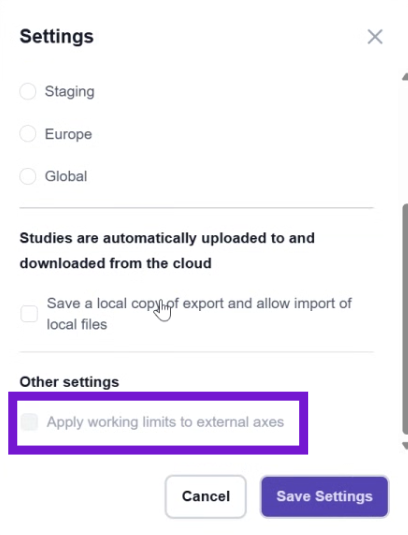
- NEW: Option to apply working limits to external axes
- Users now have the option of applying working limits to both native robot joints and external joints.
- There is a new check box in the settings dialog that is disabled by default, called “Apply working limits to external axes.”
- If the box is checked, then working limits will be applied to external axes. If it is left unchecked, then working limits will only be applied to native joints.
- Note: This is a change to the previous behavior. Previously, we would apply the working limits to both native and external joints. The new default is to apply limits only native joints.
Visual Components and Gemini Connectors 1.9.1
Improved collision detection
- NEW: Support for robot executor
- What does this mean? You can now leverage signals to apply precedence constraints between robots and other objects within your workcell, using robot executor.
- Improved: Material handling use cases
- Users can now leverage Assembly Status Feature suppression for material handling cases.
- Improved: Sanity checks for collision detectors
- Users will now receive an error if active collision detectors contain hidden objects.
- Users will get a warning if objects are referenced in programs but not included in any active collision detectors.