2025.12.17 Release
· 3 min read
Now Available: Resolver 2025.12.17
Resolver 2025.12.17 is here and includes a number of enhancements that we are excited to share with you.
Resolver 2025.12.17 is enabled by our latest connectors:
- Process Simulate Connector 1.11.0
- Visual Components Connector 1.11.0
- MELSOFT Gemini Connector 1.11.0
Compatibility information for supported simulation tools and versions can be found on the minimum requirements page of the Resolver documentation site. We recommend always downloading the latest version of the Resolver Connector, regardless of the version of the simulation tool you are using.
Resolver Product Updates
Improvements for faster run times and enhanced workflow capabilities
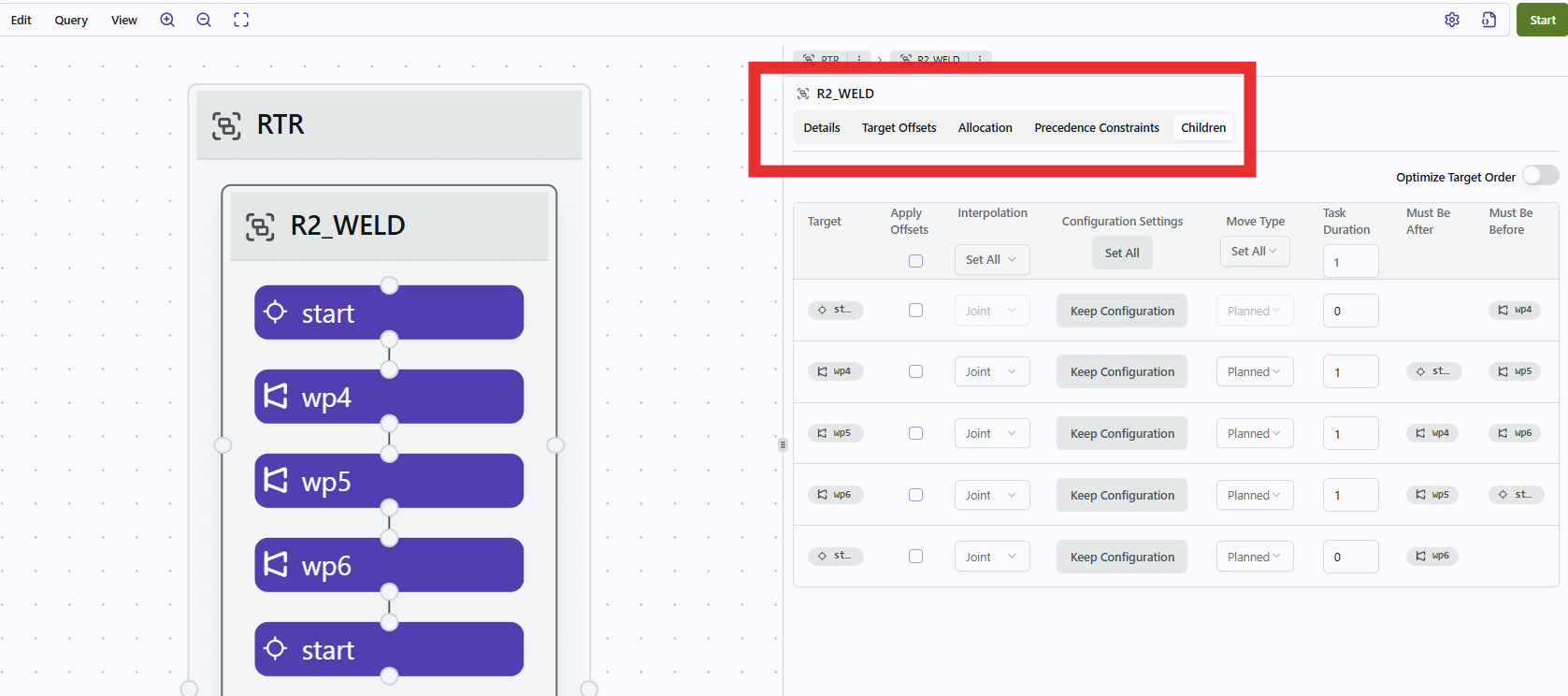
- NEW: Tab navigation for run configuration
- When a user clicks on any item on the canvas, the right side panel will open with a new tab navigation.
- The panel will first display the “Details” of what you select in the canvas. If you click on an operation or target, it will show the selected item’s name, parent, and ID.
- To configure with the table we previously showed when an Operation was selected, select an Operation and navigate to the “Children” tab.
- NEW: Support for deleting empty folders
- Expanding upon the new folder structure, users can now delete empty folders.
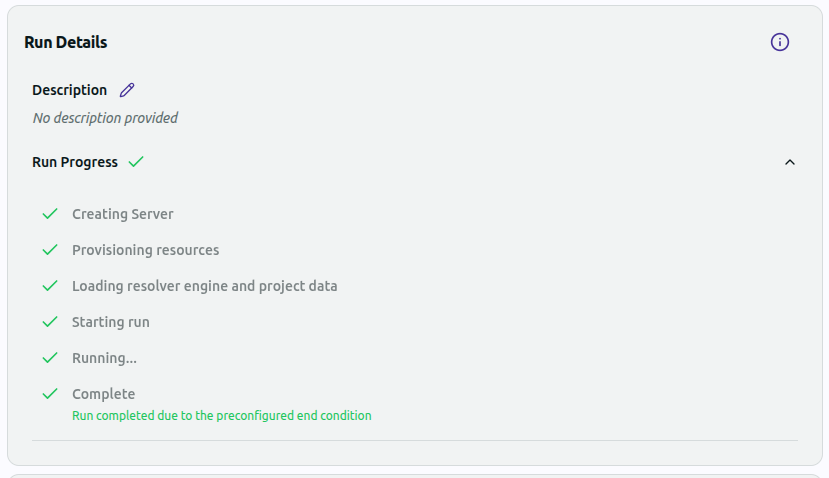
- Improved: Notifications on run completion reason
- When a run is completed in Resolver, users will now see the reason why the run ended.
- Users will see a message if the run was cancelled, accepted, met an end condition or encountered an error.
All Connectors
Enhanced user experience with new UI features
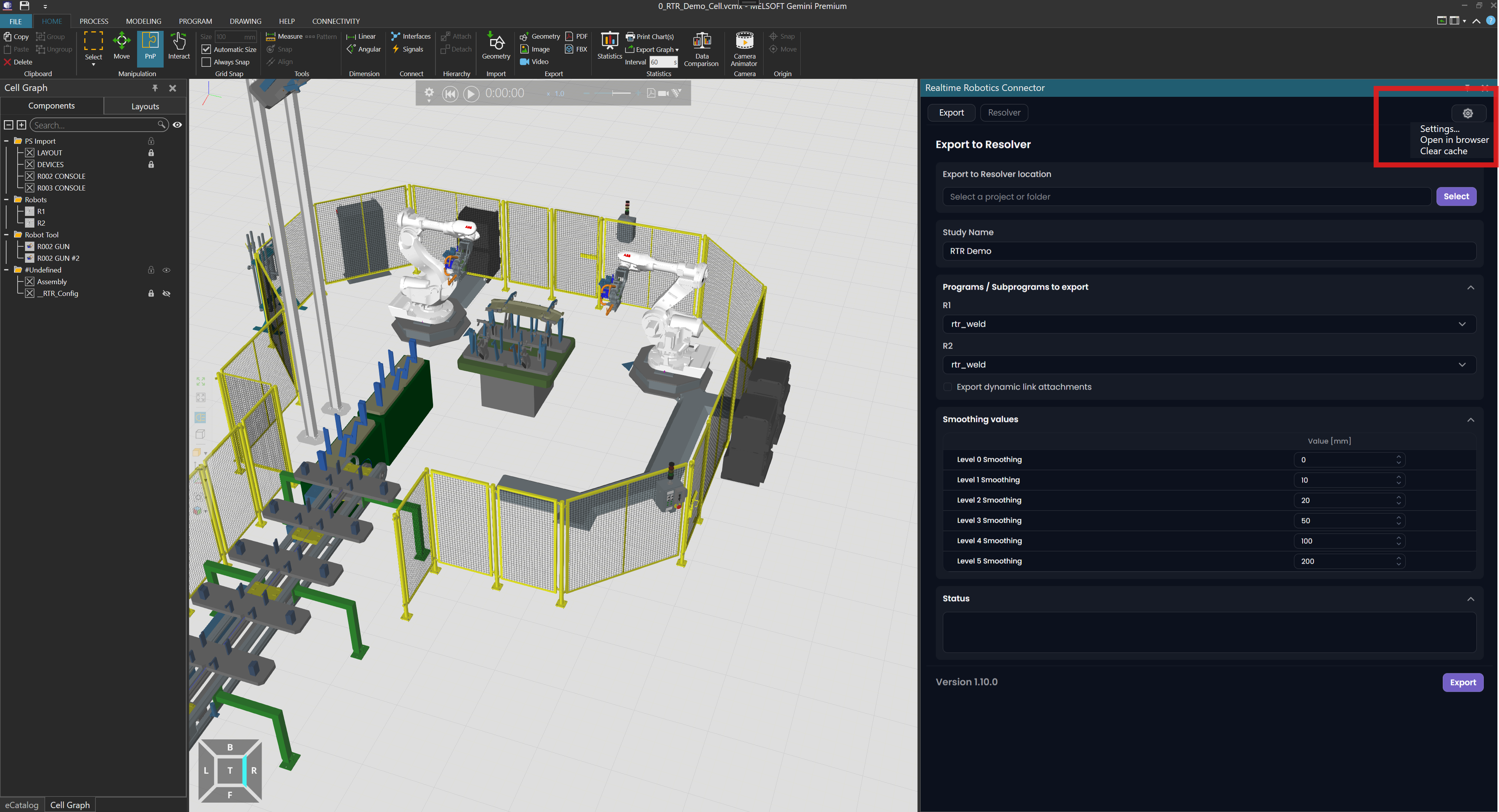
- NEW: Dropdown Menu replacing Settings Button
- Users will see that a new menu has replaced the Settings Button.
- This new menu will include the original settings options, as well as the option to open the current view in a browser and to clear your cache to troubleshoot.
- Improved: Offline mode usability
- Users can now open the settings page when Resolver is unreachable.
- Error messages in offline mode were also improved.
Process Simulate Connector 1.11.0
Improved support of FANUC robots
- Improved: FANUC robot model support
- More data specific to FANUC robots will now be exported to improve optimization of FANUC robots in Resolver.
- Importing of SD/ED and device operations is improved.
Visual Components and Gemini Connectors 1.11.0
Bug fixes and performance improvements
- Improved: Progress Bar Behavior
- The Progress Bar is more responsive and better aligned with loading status.
- Improved: Import Behavior
- If an import fails, settings will remain consistent to be able to retry import.
- Interlock creation during import was improved.