2026.08.12 Release
· 4 min read
Now Available: Resolver 2026.08.12
Resolver 2026.08.12 has arrived! Read on to learn what's new.
Resolver 2026.08.12 is enabled by our latest connectors:
- Process Simulate Connector 1.25.0
- Visual Components Connector 1.21.0
- MELSOFT Gemini Connector 1.21.0
Compatibility information for supported simulation tools and versions can be found on the minimum requirements page of the Resolver documentation site. We recommend always downloading the latest version of the Resolver Connectors, regardless of the version of the simulation tool you are using.
Release Highlights
Cell-only export, clickable tags, and per-configuration robot clearance
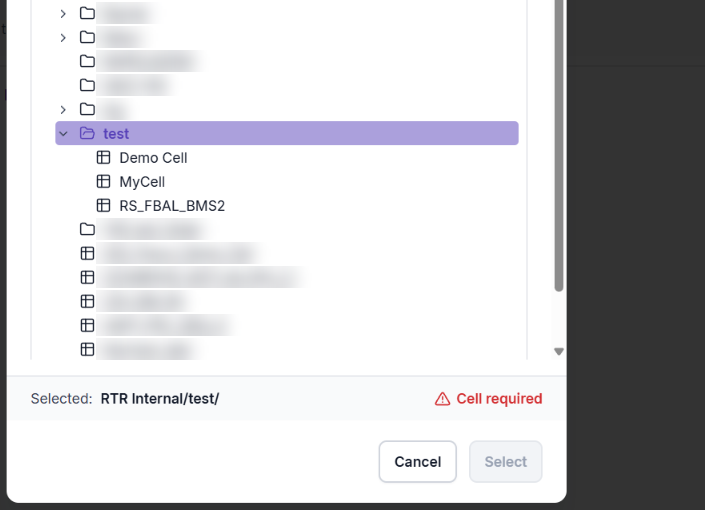
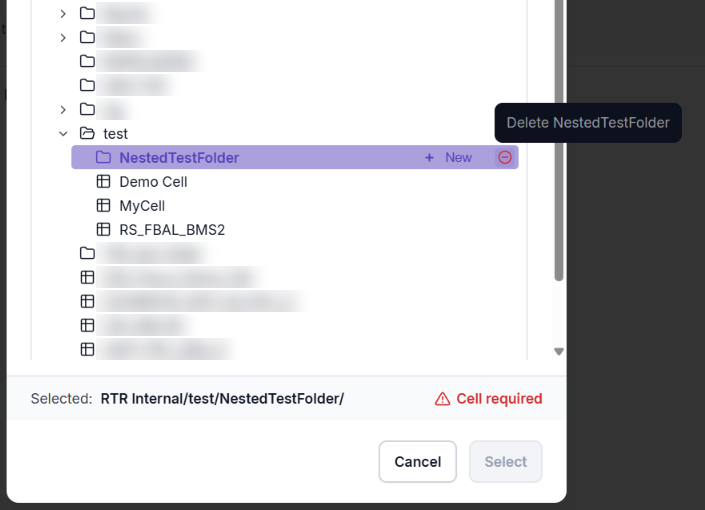
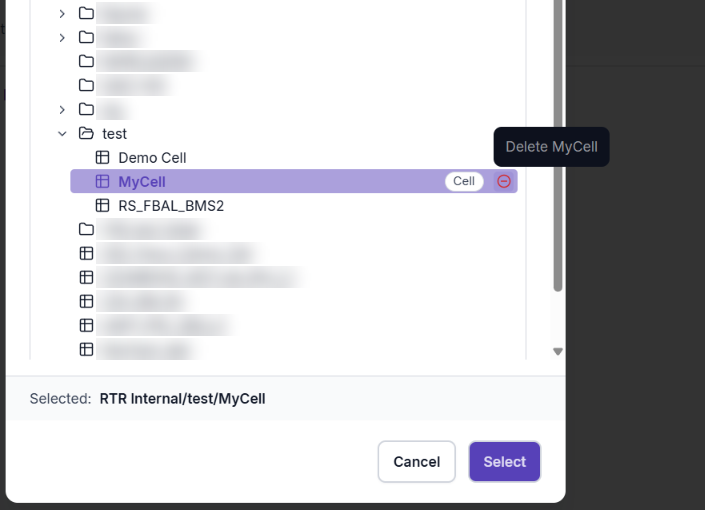
- IMPORTANT: Exporting to a folder or project is no longer supported. All connectors now require exporting to a cell. The Resolver location dialog has also been redesigned and adds the ability to delete folders and cells.
- NEW: Tags in connector popup dialogs are now clickable. Clicking a tag highlights the corresponding item in the canvas and tree.
- On Process Simulate this includes robots, devices, objects, joints, operations, and locations.
- On Visual Components and Gemini this includes robots, objects, and devices.
- Improved: Robot-to-robot clearance is now calculated per robot configuration (preset) instead of a single value for the whole robot, improving collision-free path accuracy across all connectors.
All Connectors
Redesigned location dialog, clickable tags, and update checks
Updates in this section apply to Process Simulate, Visual Components, and MELSOFT Gemini.
- NEW: Tags in connector popup dialogs are now clickable and will highlight the corresponding robots, objects, and devices in the canvas and tree.
- NEW: Users can now manually "Check for updates" in the settings menu, which will surface any available connector updates.
- Improved: Redesigned the Resolver location dialog with a new UI and the ability to delete folders and cells.
- Exporting now requires selecting a cell. Folders and projects are no longer valid export targets.
- Improved: Improved robot-to-robot clearance behavior with per-preset dilation, calculated per robot configuration.
- Fixed: Various small bugs and improved handling of rare edge cases.
Process Simulate Connector 1.25.0
Interlock location control, OLP command preservation, and circular spline improvements
- NEW: Added a checkbox to allow interlocks at weld locations. Default is interlocks only at generated via locations.
- NEW: Added support for TxTcContinuousOperation.
- NEW: Added payload and TCP information to calibration data and metadata.
- Improved: Added handling of customized OLP commands so they are preserved end-to-end on import.
- Custom OLP commands will be piped through unchanged.
- Improved: Improved handling of circular splines, allowing export without an explicit starting point.
- This includes CircularVia and Circular2 motion types.
- Fixed: Various small bugs and improved handling of rare edge cases.
Visual Components and Gemini Connectors 1.21.0
Bug fixes
- Fixed: Various small bugs and improved handling of rare edge cases.