Collision Rules
Exporting Collision Detectors
Visual Components and the Resolver EngineThe engine (or Resolver Engine) refers to the core algorithm that is running in Resolver that takes a study and a query; generates collision free motion paths, interlocks, and task allocations; and pr... both support collision detection, but they follow different default behaviors:
| Behavior | Visual Components | Resolver Engine |
|---|---|---|
| Default collision checking | Off — no collisions unless explicitly enabled | On — full collision detection by default |
| User control | Must define what to check | Can define what not to check |
| Collision tolerance | Used as a proximity warning threshold | Treated as a "soft" constraint during planning |
Understanding Collision Rules
Collision rules define how the system should behave when objects come into contact — whether to avoid, allow, or tolerate collisions under specific conditions.
Visual Components: Default Behavior
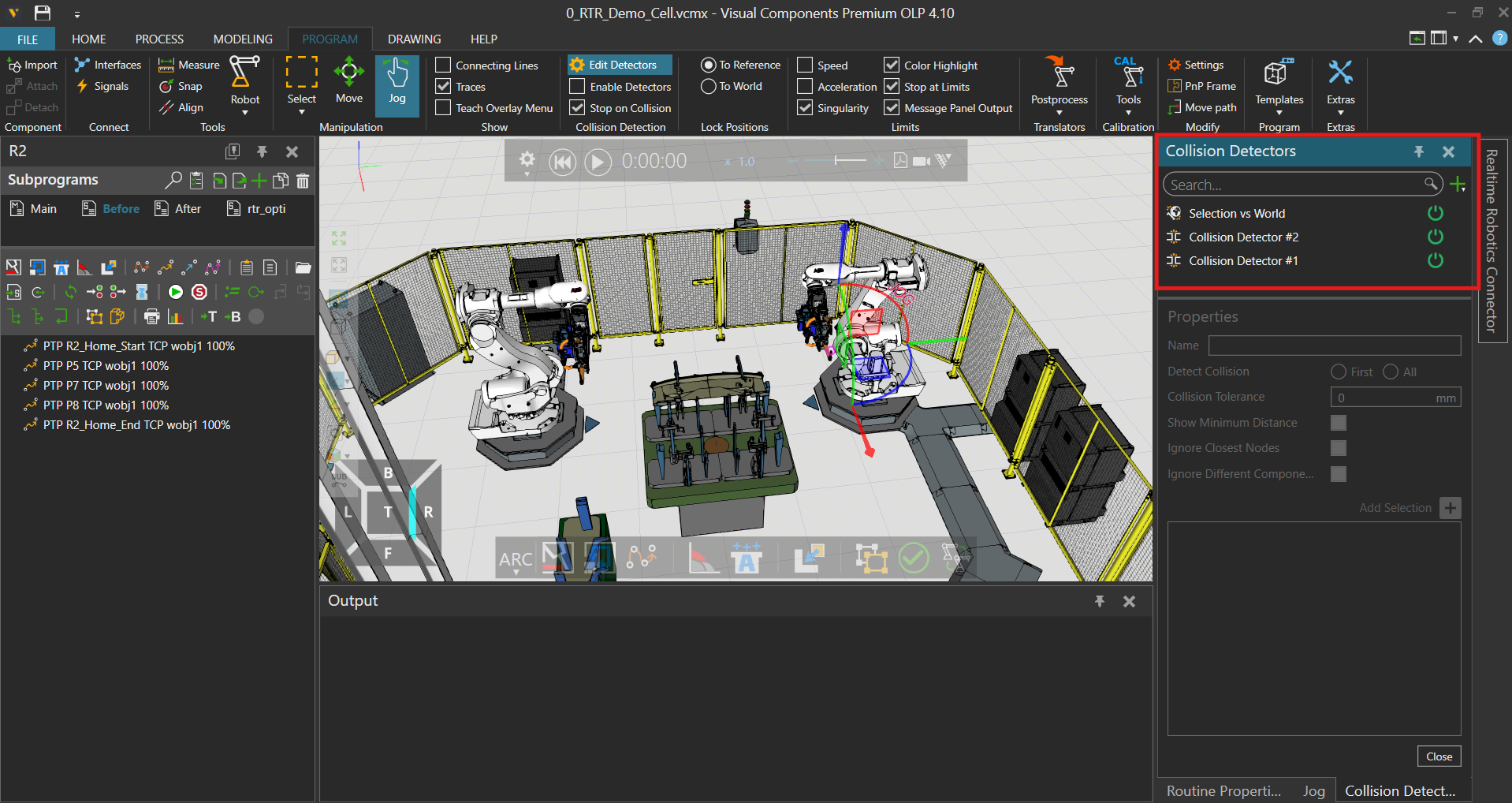
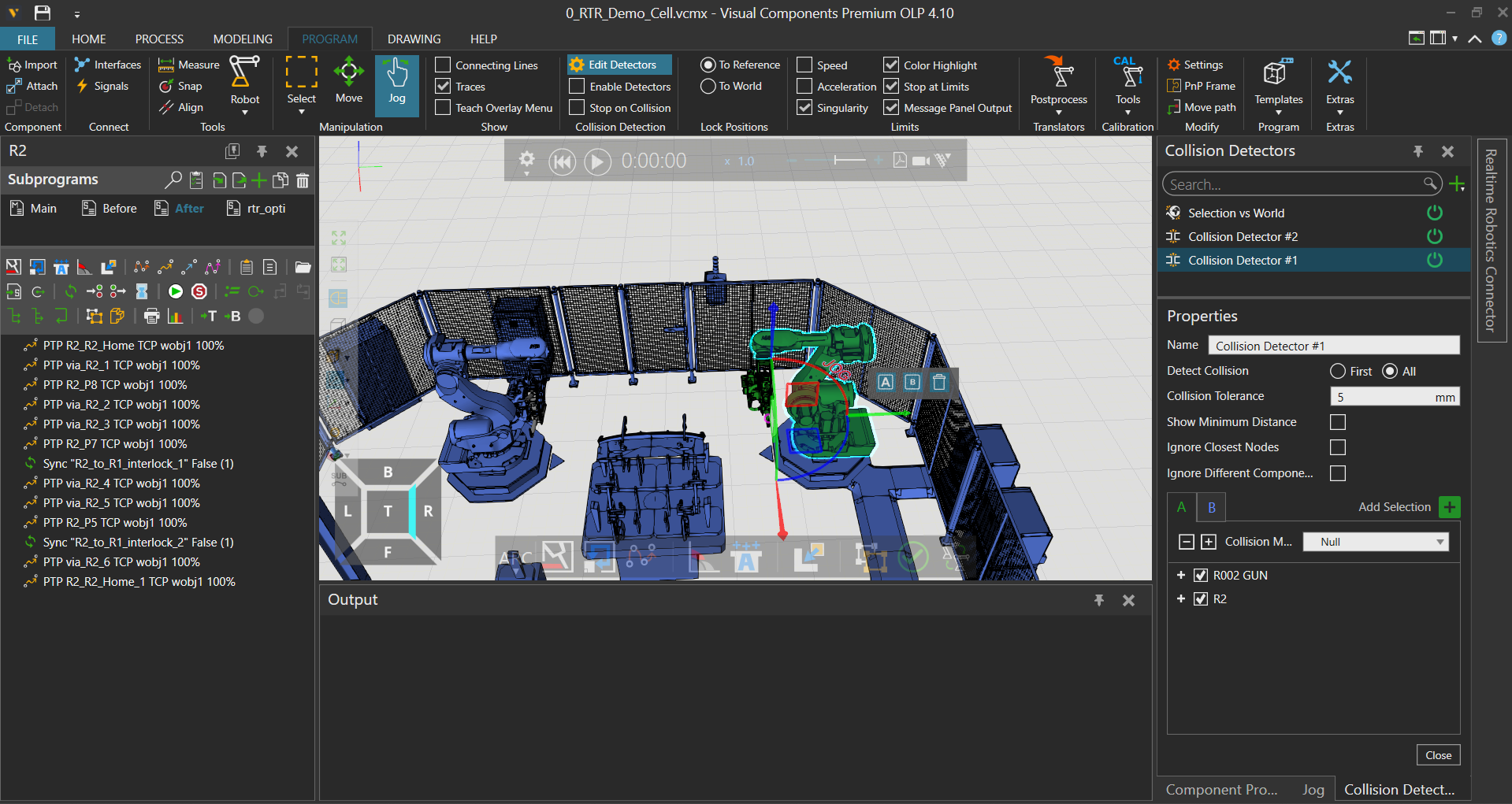
By default, Visual Components does not check for collisions unless a collision set is explicitly enabled.
- Collision detection only occurs between object pairs specified in the A and B columns.
- Users must manually configure these sets.
- Each set may include a Collision Tolerance, which serves as a warning threshold for proximity.
Learn more from the Visual Components Academy
Resolver Engine: Default Behavior
The Resolver motion-planning engine checks all collisions by default, including:
- Robot-to-Robot
- Robot-to-World
- Robot-to-Environment
Rather than requiring users to define what to check, Resolver allows you to disable specific checks when needed.
When converting from Visual Components to Resolver, the exporter ensures that all defined collision sets are respected and mapped accordingly.
Collision vs. Clearance
In Resolver, collisions and clearances are unified concepts:
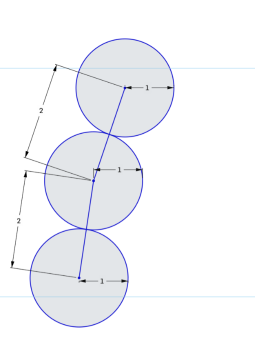
- A collision is defined as a 0 mm clearance.
- The default global clearance is 1 mm, checked at most every 2 mm along a motion segment.
How the Engine Resolves Conflicts
The engine applies a cost function to every candidate path. Paths that violate clearance or collision rules receive a high penalty, so the planner strongly prefers collision-free motion. A violation is only selected when every possible path would be in collision.
This means you do not need to manually add or remove "ignore collision" rules for every scenario. The engine dynamically determines the best option — favoring collision-free motion whenever possible, but permitting a controlled violation when absolutely required.
Practical Example: Weld-Gun Tip Contact
Expected collisions — such as a weld tip contacting a part — are handled differently by each system.
In Visual Components
Visual Components does not provide a way to dynamically allow collisions only at the moment of contact (unlike, for example, Process Simulate's "Smart Tip" feature). Instead, collisions are managed by setting up Collision Detectors that fully ignore certain expected contacts. As a result, the entire path to the collision point is considered collision-free, which may not accurately reflect process intent.
Because this Smart Tip-like functionality is unavailable, users must use a workaround for processes like spot welding: offset the final weld point by 1 mm (or a small clearance) away from the part. This allows the Resolver engine to plan the robot path without colliding up to the desired approach point. The robot moves to a position just short of actual contact, and the final approach segment is either handled separately or accepted as intentional contact by the process.
Offsetting weld points is necessary to avoid path-planning failures. Resolver respects the defined clearances and cannot dynamically permit collisions only at the moment of contact when importing from Visual Components.
In Resolver
Instead of permanently ignoring collisions, the engine dynamically allows collisions only when necessary — such as at the moment of weld contact. This ensures:
- Collision-free motion up to the weld point
- Intentional contact only when the process demands it
This approach provides more realistic, adaptive behavior without requiring custom rules for every expected contact.