Start/End Distance Validation Failed
Platform: Process Simulate
Listed weld operations use Start/End Distance (SD/ED) values outside the gun-axis actuator limits for that robot and gun. Resolver blocks export until those values are brought back inside the printed range (same SD/ED concepts as the schedule warning, but evaluated on the active weld data shown in the dialog).
Dialog shown in Resolver
Start/End Distance Validation Failed
The following weld operations have SD/ED values outside actuator limits:
- Operation: {operationName}, Robot: {robotName}, Gun: {gunName}
SD={sdValue}, ED={edValue} outside limits [{minLimit}, {maxLimit}]
...Press OK to dismiss after noting the failing SD/ED values.What you can do in this dialog
- Can you continue export? No
- Buttons in the popup: OK
- What happens next: OK dismisses the dialog; export stays blocked until SD/ED values are valid.
- Next step: How to fix it
Impact if you continue
There is no export to continue with: Resolver blocks until every row in the dialog is fixed. SD/ED left outside the gun-axis limits would imply gun-axis poses outside the permitted working range, so Resolver does not build motion from that data.
How to fix it
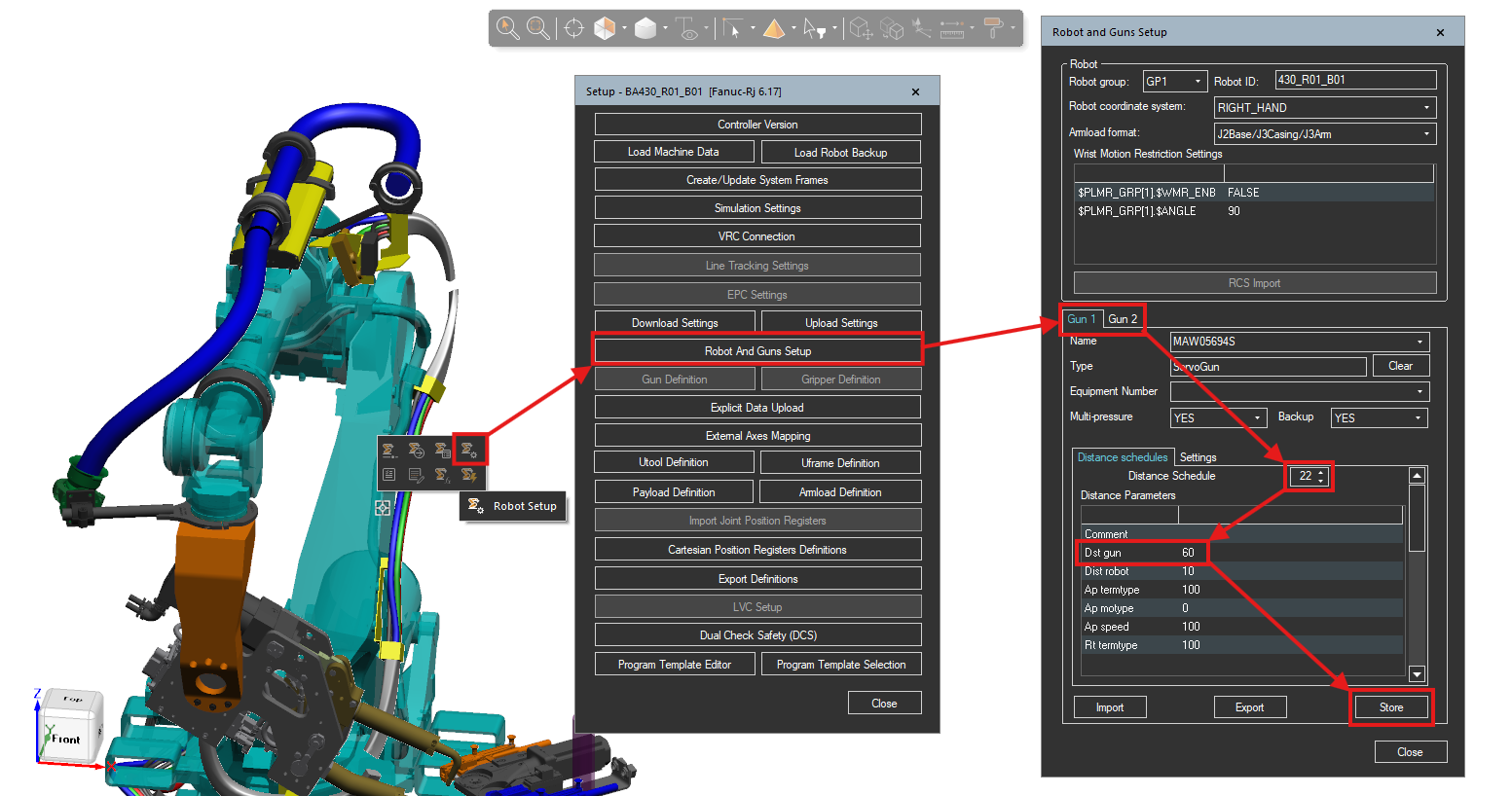
- Click OK in the error dialog to dismiss after noting the failing SD/ED values, then fix the setup below.
- Select the affected robot in the station.
- Open Robot Setup.
- In the setup dialog, open Robot And Guns Setup.
- Select the affected Gun tab.
- Open Distance schedules.
- Select the schedule index from the dialog.
- Adjust distance parameters (for example
Dst gun) so values stay within limits. - Click Store to save schedule changes.
- Save the station and run Resolver export/import again.
- If the error still appears, repeat for the next robot/gun pair from the dialog.