2026.04.29 Release
· 約3分
Now Available: Resolver 2026.04.29
Resolver 2026.04.29 is here! Read on to learn more about what to expect in this release.
Resolver 2026.04.29 is enabled by our latest connectors:
- Process Simulate Connector 1.20.0
- Visual Components Connector 1.17.0
- MELSOFT Gemini Connector 1.17.0
Compatibility information for supported simulation tools and versions can be found on the minimum requirements page of the Resolver documentation site. We recommend always downloading the latest version of the Resolver Connectors, regardless of the version of the simulation tool you are using.
Release Highlights
User onboarding, stitch spot welding order, and smoothing translation updates
- NEW: User onboarding flow
- New users will now receive a link to create a Resolver account via email.
- Until users enter their information and agree to our terms and conditions, they will not appear as part of an organization in the platform UI.
- Improved: Stitch spot welding order
- The engine now prefers spatially ordered targets (left-to-right or right-to-left) as a tie-breaker among orderings with equivalent cycle times, producing more predictable results without sacrificing performance.
- Improved: Translation of smoothing values
- Users may notice that paths with smoothing may return more accurate values based on new translation of values in the back end.
- FANUC smoothing values will be in CNT.
- All other robots will have smoothing values in mm.
All Connectors
About dialog and error updates
- NEW: Add "About" dialog showing more details about the connector
- Through the settings dialog in the connector, users can now see "About" their current connector and access the release notes corresponding with the version they are using.
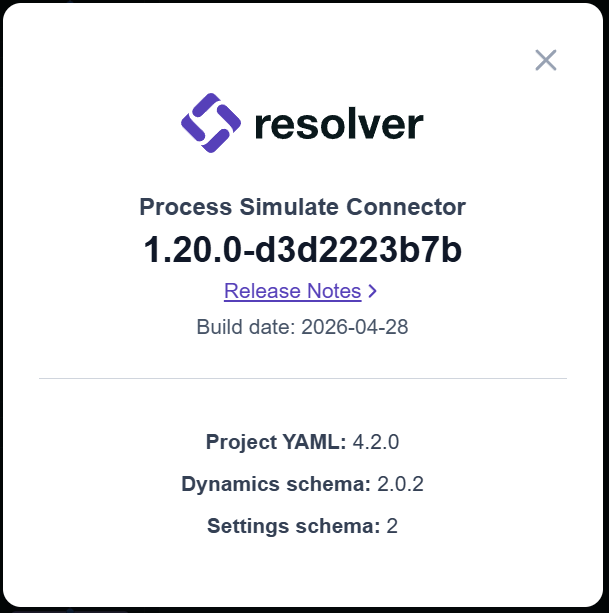
- Improved: Error surfacing during Import
- Certain errors were previously not being surfaced to users during import, but this is now fixed.
- This may result in more errors appearing during import but will improve final results once errors are resolved.
Process Simulate Connector 1.20.0
Enhanced language for configuration options
- Improved: Export unreachable targets
- In a previous release, we introduced a checkbox to allow exporting of unreachable targets.
- In this release, we updated the checkbox label and added a tooltip to clarify the functionality of the checkbox.
- If the checkbox is enabled, if a target is unreachable by its assigned robot, the connector will still export the target.
Visual Components and Gemini Connectors 1.17.0
Process improvements and compatibility updates
- Improved: Workflow improvements for export
- There is a new sanity check during export to detect misalignments between target pose and joint configuration.
- Note: Resolver is no longer compatible with Gemini Version 1.48 with this release.
- Please use MELSOFT Gemini 1.410 or later.