Process Simulate Troubleshooting
This section provides detailed guidance for diagnosing and resolving errors that occur during Resolver import/export when using Siemens Process Simulate.
Errors are grouped by type and each has its own dedicated page, allowing users to quickly identify the cause and required corrective actions.
If you encounter an error in the Resolver dialog, use the "Resolver documentation for detailed guidance" link to jump directly to the relevant page in this section.
How to use this section
-
Run import/export in Resolver.
-
When an error message appears, identify the error title.
-
Click “Resolver documentation for detailed guidance” in the popup, or select it from the lists above.
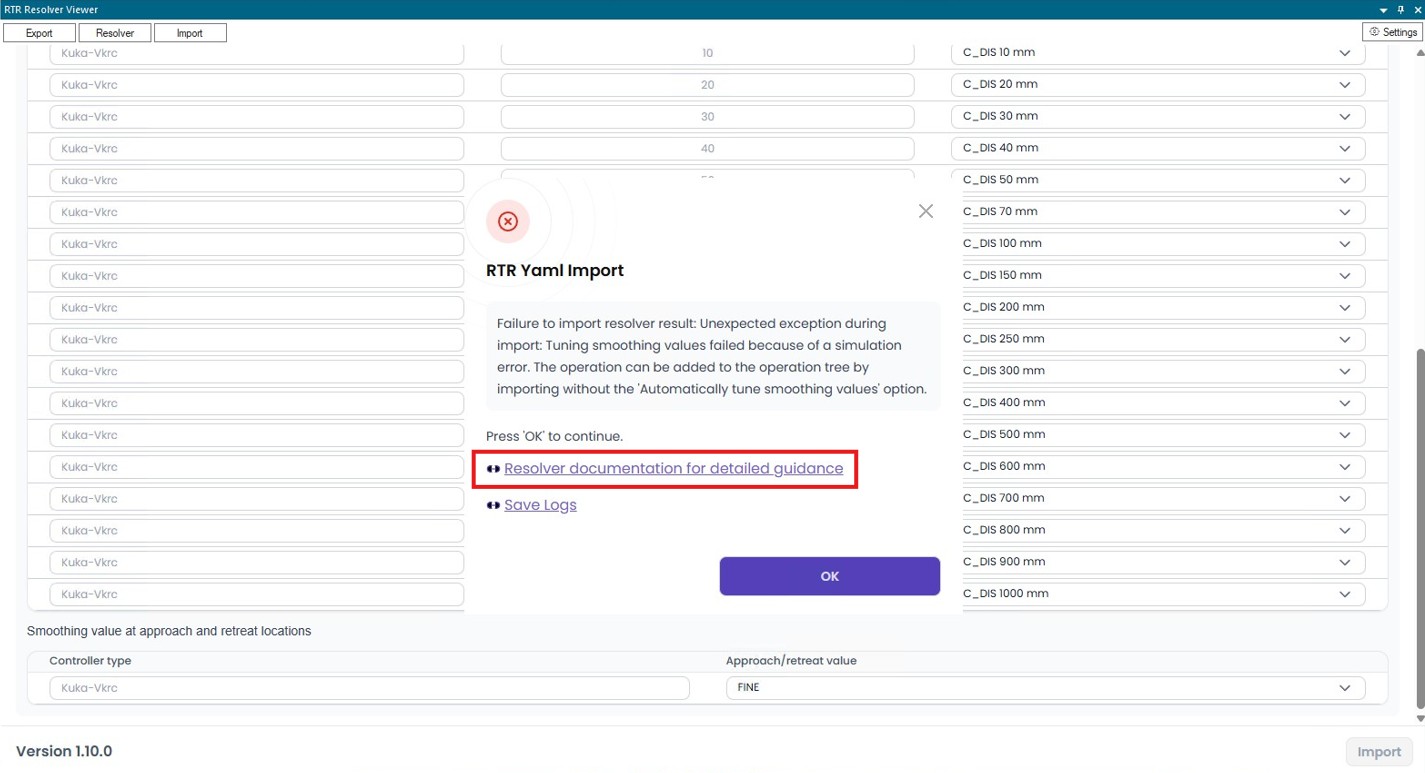
-
Follow the recommended corrective actions described in the error page.
-
Re-run the export after applying changes.
Additional notes
- Only blocking errors prevent the export — warnings may be safely ignored in some scenarios, but each error page explains when this is appropriate.
- If an error is unclear or persists after corrections, contact support and attach:
- the Resolver error popup screenshot,
- your Process Simulate
.pszx, - the exported logs.
Error list
The list below contains all errors that are relevant for Process Simulate (including common Resolver sanity checks that also affect PS). Use this as a complete reference.
Joint & Reachability Issues
- Too few targets
- Joint limit violation
- Large joint limits
- Low velocity
- Low acceleration
- Unsupported kinematic loop detected
- Undefined kinematics
- Unreachable location
Collision & Geometry Issues
- Missing collision sets
- Missing self-collision rules
- Invalid collision set
- Objects not included in Collision Sets
- Dynamic devices filtered
- Dynamic device exported as static
- Unsupported cables
Motion & Assignment Issues
RCS & System Issues
Project & Access Issues
- Import canceled
- Cloud data unavailable
- Project name missing
- Missing export folder
- Login required
- Hidden robot selected